



Our Luggage Storage is HERE
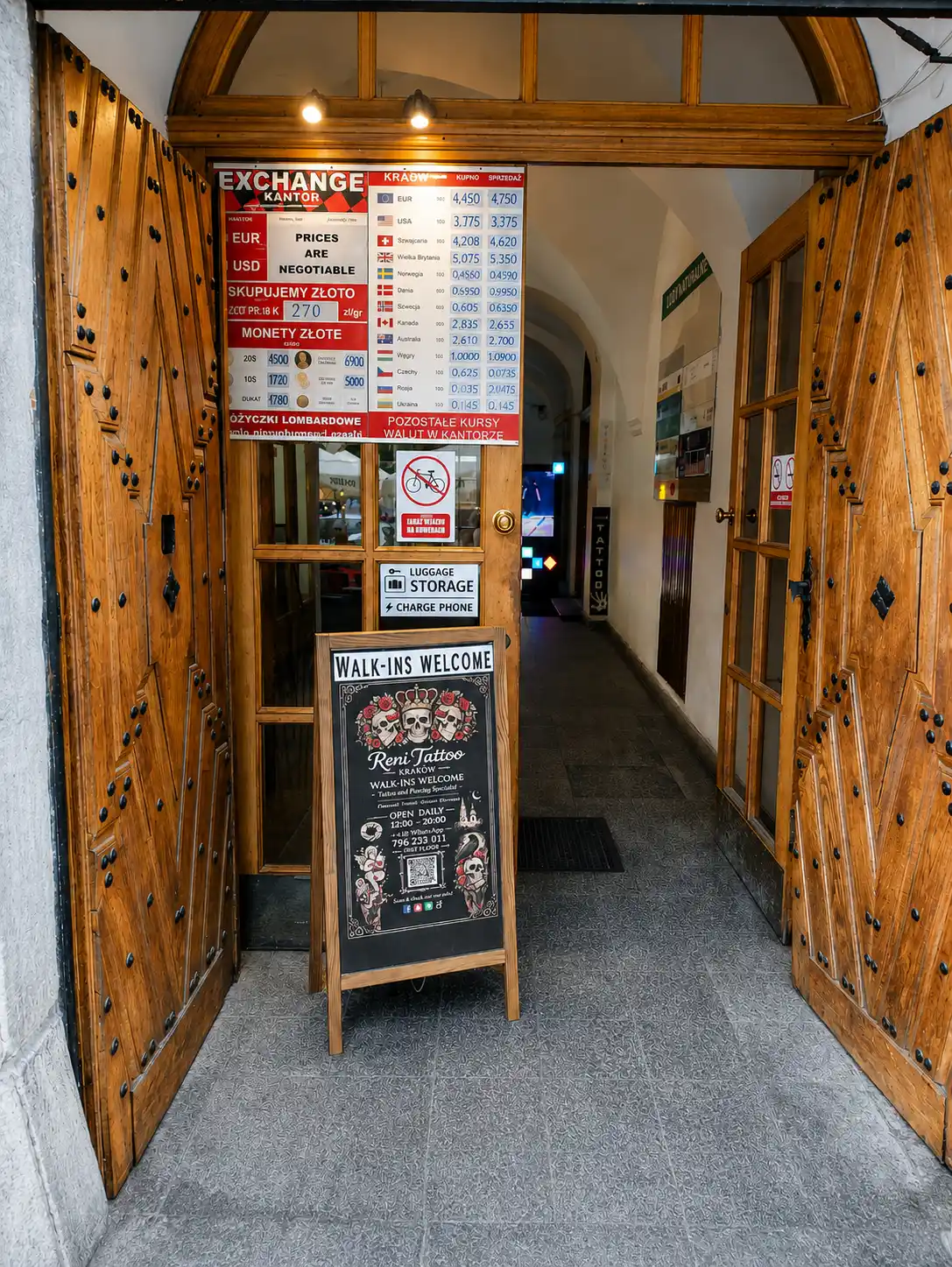
Our Luggage Storage in Krakow is open every day from 7:00 to 21:00. We're open on Sundays, Christmas day, Easter, New Year's Eve, and just every day of the year.
You can pay by Card (including contactless) or Cash (PLN).
Please note - the machine does not accept coins and does not give change!
First you should start the rental, the door of your selected locker will open for you. Please do not use any locker that was left open.
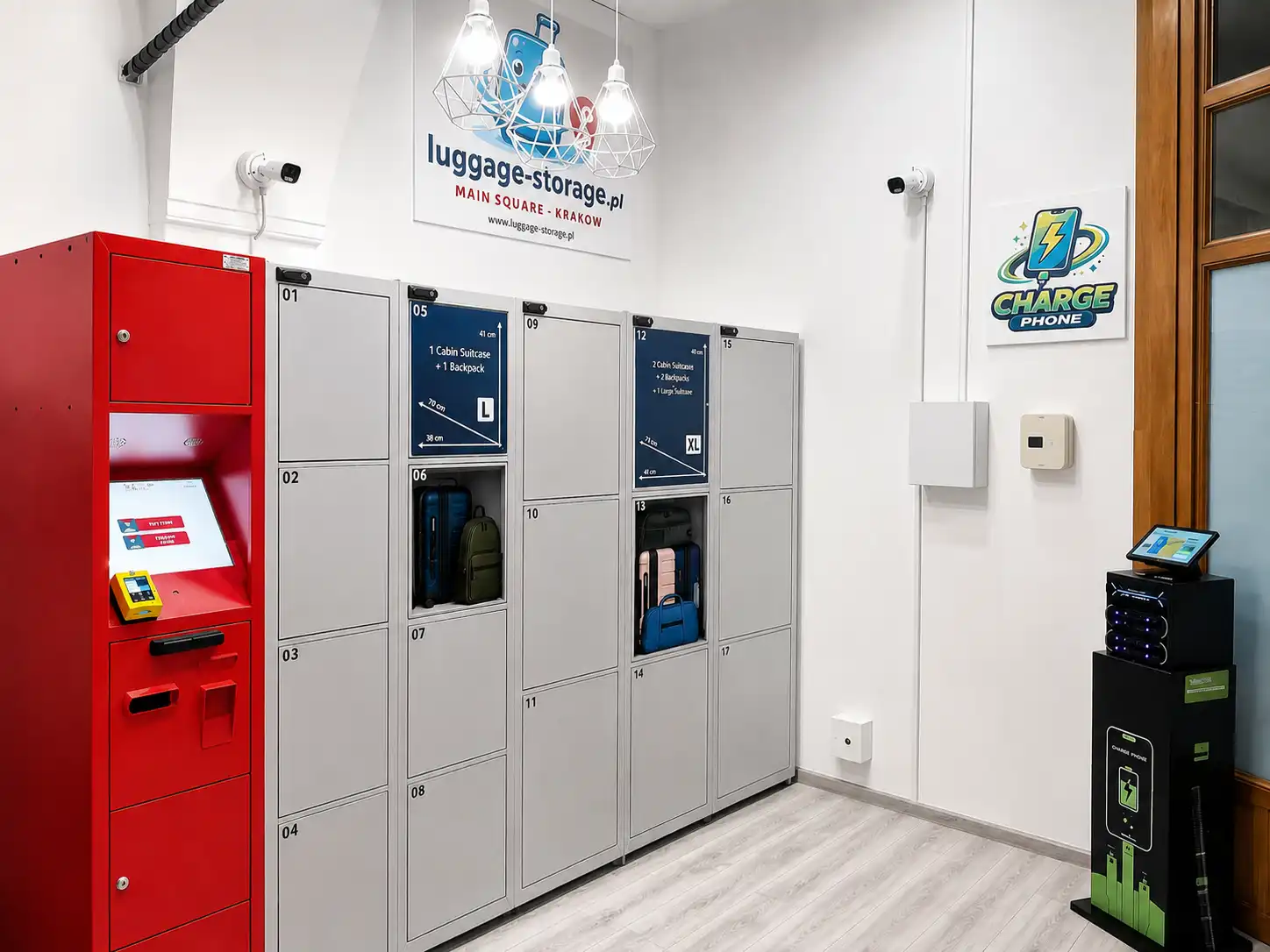
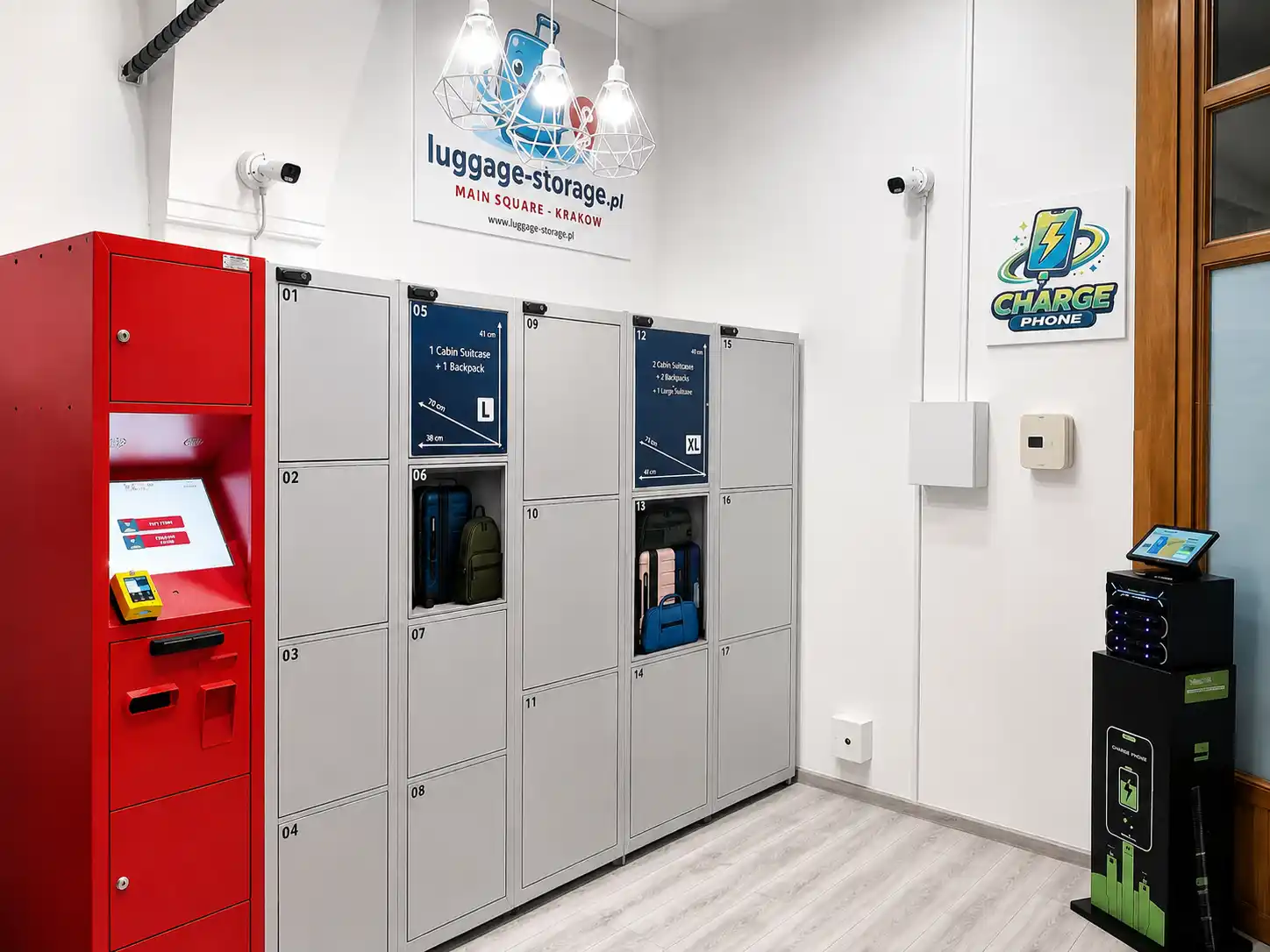
To start the rental, go to the main control unit (red color), at the screen, then:
- Select the locker size
- Choose your personal PIN
- Pay (cash or card)
- Place your luggage
- Close the locker
Note: You can open the locker as many times as you want during the rental period.
Walk to the main control unit (red color) with the display, then:
- Select the locker size
- Choose your personal PIN
- Pay (cash or card)
- Place your luggage
- Close the locker
Note: You can open the locker as many times as you want during the rental period.
Yes, you can open the storage lockers as many times as you want during the rental period. It’s a great option if you want to add some shopping or grab something earlier.
How to open the locker during the rental period?
- On the screen, select "Pick up items"
- Choose your locker number
- Enter your personal PIN
- Select "I don't want to end the rental".
- And "Continue" – the locker will open automatically
- Close the locker when done
The locker remains active until the end of the paid time, if you select the option to keep the rental.
When you're ready to pick-up your items and terminate the rental period, here's what to do:
- On the screen, select "Pick up items"
- Choose your locker number
- Enter your PIN
- Select "End rental"
The locker will open and the rental period will end.
Take your belongings, make sure you've taken everything.
Please close the locker before leaving!
It’s best to pick a PIN that’s easy to remember, such as your birth year.
It can also help to write it down, or send yourself a reminder email.
If you forget your PIN, contact us by phone or WhatsApp.
After verification, we'll help you regain access to your locker.
Our luggage storage facility in Krakow is open from 07:00 to 21:00.
Please plan to drop-off and pick-up your luggage within this given time.
Late Drop-Off
After closing time, luggage drop-off is not possible.
Late Pick-up
After closing time, if it's an emergency and you need to pick-up your luggage, you have these options:
- Try to buzz the door, sometimes there's a doorman in the building that may open the door for you - it's not guaranteed.
- Please come back the next day during the opening hours.
- If you're leaving town and couldn't retrieve your luggage, contact us and we will arrange to ship your luggage back to you (you would have to bare the cost of shipping, and a 100 PLN fee - or you can arrange at your own cost a courier pickup at our facility at no extra cost).
Please note: you'll be charged any additional days for late pick-up.
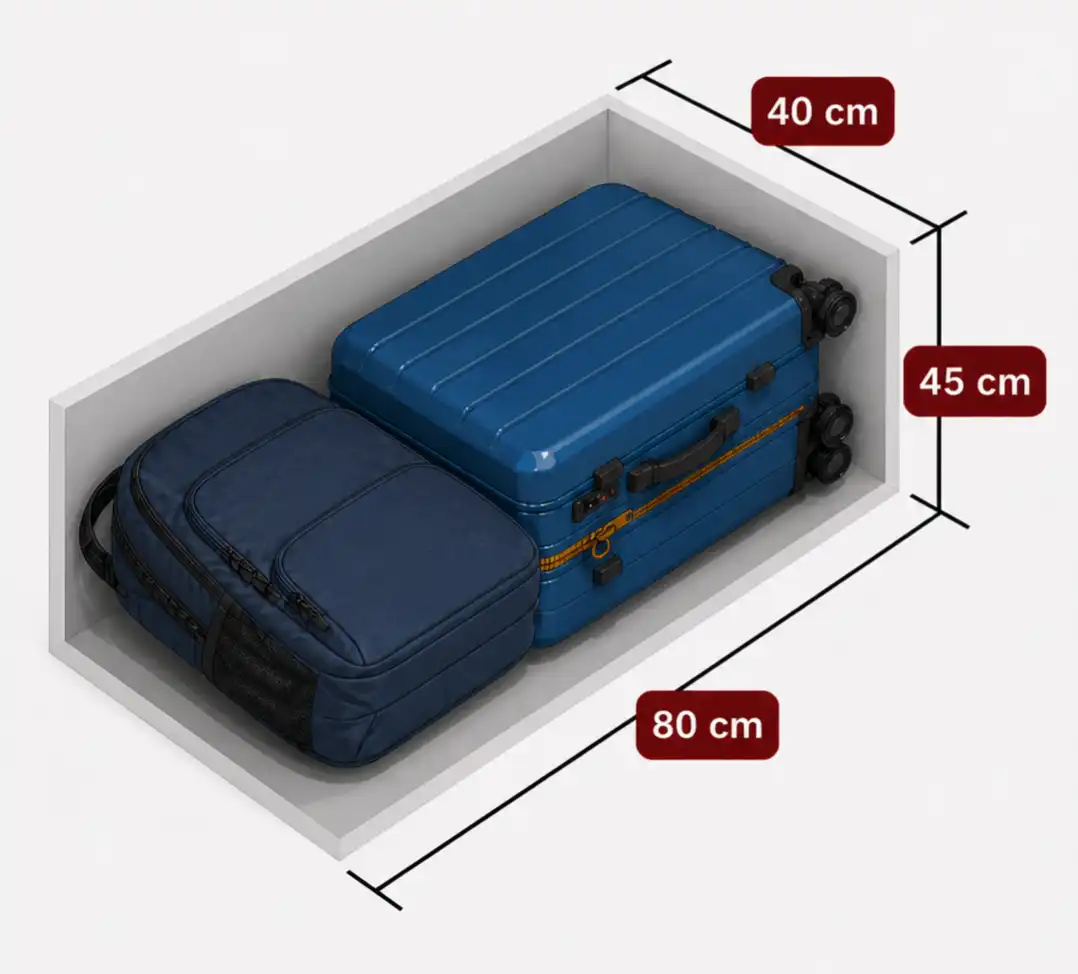
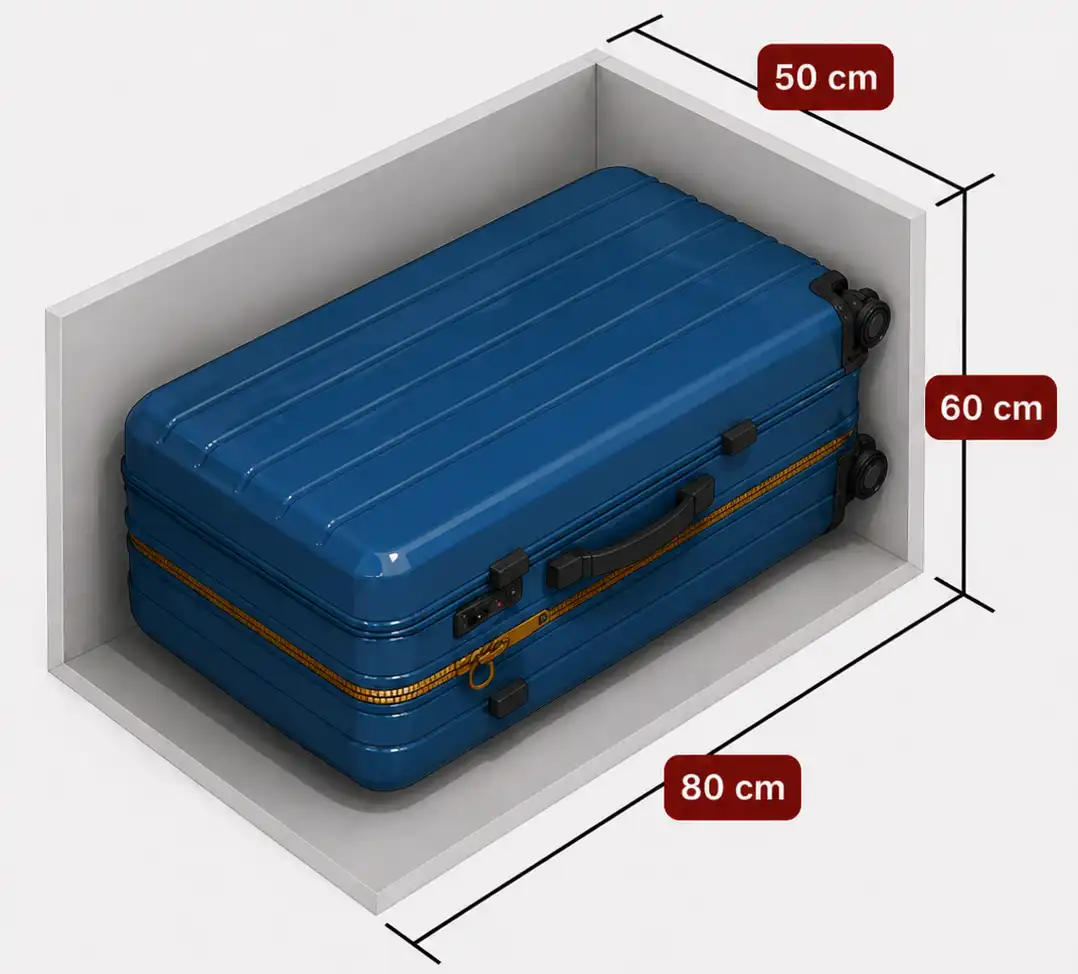
At our Luggage Storage facility in Krakow, you can store anything that fits in the locker. Luggages, backpacks, shopping bags, or just anything else.
If you need to store something that doesn't fit in the locker, please contact us and we will help you find a solution.
If you want to rent a locker for more than 4 days, contact us for a discount.
Our Luggage Storage in Krakow is monitored 24/7. Also at night when the facility is closed. Our lockers are equipped with an anti-theft system. And there's also a 24/7 vigilant in the building.
If you want to rent a locker for more than 4 days, contact us for a discount.
If you want to be sure that you find an available locker upon your arrival, it's advisable to book in advance. Especially if you are traveling with a few pieces of luggages (or with friends) and you may need more than one locker.
Yes, you can cancel any advanced booking that you made online, up to 48 hours before the booking Start Time. We will issue a full refund, minus about 2% transaction fee that is charged by the payment processor. Refunds are issued to the credit card that you used to pay, and it may take 5-7 days to appear, depending on your bank institution.
It can happen that a locker was left open by a previous user, and you placed your belongings inside, and locked it.
You have two options:
1. Go through the rental process from the beginning.
Look to choose the same locker where you stored your luggage, set your PIN and make payment.
After payment confirmation, be sure to press the "Next" button – this will open the locker (even if your luggage is already there) and you need to close it again. From this moment, the locker will be assigned only to you and can be opened exclusively with your PIN.
2. If the locker is not shown as available to be rented on the screen, it means the locker is still formally rented by the previous user (which took the luggage but didn't end the rental period).
In this situation you won't be able to open the locker again without our help, as you're using a locker formally rented by someone else.
Contact us – we'll release the locker and help you access your luggage.
To avoid such situations, always first start the rental. This way the locker will be assigned to you from the beginning.
These could be possible reasons:
- Check funds in your account – insufficient funds is the most common reason for rejected transactions.
- Hold the card for a few seconds – make sure you hold the card at the terminal long enough for it to be read. To be sure, you can insert the card with the chip into the terminal.
- Check bank requirements – some contactless cards require PIN entry. Our terminal doesn't have a physical keypad, so such a transaction may be rejected. Cards like Wise or Revolut may have additional security features or settings blocking certain types of transactions. It's worth checking your card or banking app settings to ensure payment will be possible.
- Try paying with another card – sometimes the bank blocks the transaction for independent reasons.
If you want to use another card - start the rental process from the beginning on the touch screen. Otherwise the payment will fail.
If you want to use cash payment – start the rental from the beginning and at the end choose "cash payment".
The machine accepts only banknotes and doesn't give change!